Roofing Business Management Software: 8 Powerful Tools

Roofing Business Management Software for Small Contractors.

A missed follow-up can cost you a roofing job. An unrecorded change order can eat into the profit on one you already won. The right roofing business management software helps you keep track of estimates, schedules, job costs, and customer communication as work moves from the first inquiry to the final invoice.
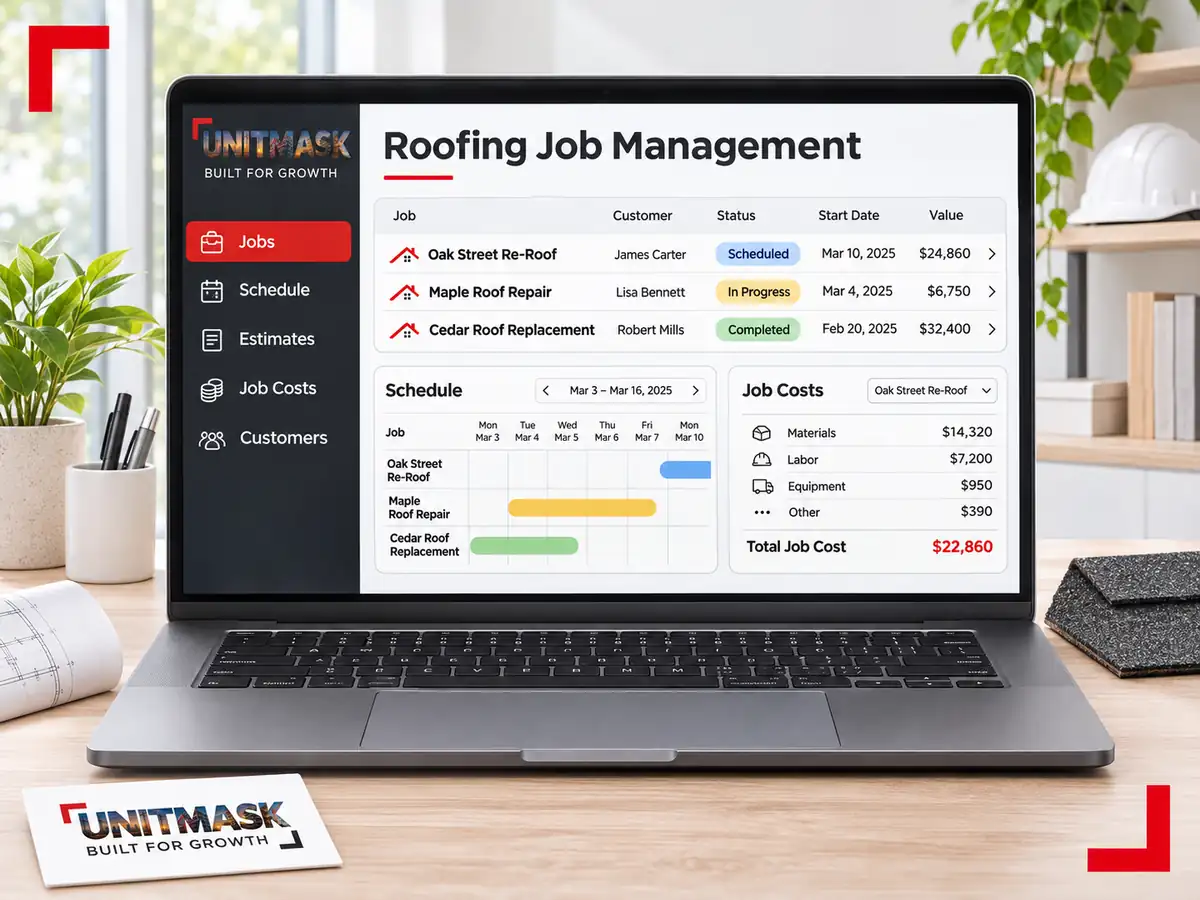
Roofing business management software dashboard showing roofing jobs, schedules, customer records, and project costs.

Which tools does your roofing business actually need?

Start with the tasks that cause the most rework or cost you money. For a small roofing company, that may mean better estimates, clearer proposals, and reliable job costing. As more people handle sales, scheduling, and production, shared customer records and job updates become more valuable.
What Is Roofing Business Management Software?

Roofing company management software brings customer records, estimates, schedules, job costs, and documents into a more organized workflow.

What the Software Can Manage

  • Customers & sales
  • Estimates & proposals
  • Scheduling & production
  • Job costs & invoicing

A Roof Replacement From Inquiry to Invoice

  1. Receive an inquiry

    Customer management

  2. Schedule a roof inspection

    Inspection scheduling

  3. Collect measurements and job details

    Roof measurements

  4. Calculate material and labor costs

    Estimating

  5. Prepare a customer proposal

    Proposal management

  6. Confirm and schedule installation

    Job scheduling

  7. Order materials and coordinate crews

    Material ordering and crew coordination

  8. Track project expenses

    Job costing

  9. Document changes and completed work

    Change orders and project tracking

  10. Send the final invoice and close the job

    Invoicing and reporting

Software Coverage Varies

An estimate calculator helps price jobs. A CRM organizes customer records and follow-ups. A job cost tracker records project expenses, while accounting software handles business bookkeeping.

Why Small Roofing Contractors Need Better Business Organization

As your roofing business grows, spreadsheets and disconnected tools can make it harder to stay on top of work, cost, and customer communication.

Docs Docs

Estimates and actual costs drift apart

An estimate can look profitable at the start. Extra material purchases, additional crew hours, and disposal fees can change the result. Record expenses against the same job so you can see where the estimate goes.

Database Database

Customer information gets scattered

When measurements, photos, quotes, and messages live in different places, it takes longer to answer basic questions. A consistent job record gives your team one place to look before calling the homeowner or updating the crew.

Scheduling gets harder as jobs overlap

A weather delay can affect crew availability, materials delivery, and the next job on the calendar. A shared schedule helps everyone see what changed and who needs an update.

Arrows-ccw Arrows-ccw

Change orders get lost in conversations

Extra decking, upgraded materials, or revised scope can add labor and material costs. Record the change, its price, and the customer’s approval so it carries through to the final invoice.

Gauge Gauge

Too much time goes into rebuilding documents

When every estimate, proposal, or work order starts from scratch, details get entered repeatedly. Reusable templates give your team a consistent starting point and make it easier to review each document before sending it.

Essential Roofing Contractor Software Features

Prioritize roofing business software features based on your team size and active job volume. A solo roofer may need a few core tools, while a company with multiple crews may need shared scheduling and job tracking.

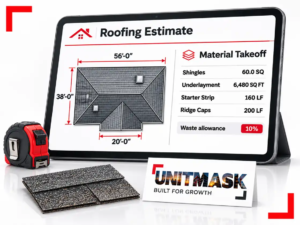
Tablet showing a measured roof plan and a roofing material takeoff with shingles, underlayment, and a waste allowance.

 Roofing Estimating and Material Calculations

Roofing estimating software helps you turn roof measurements into material quantities, account for waste, and factor in labor, disposal, and overhead to set a profitable price.

Compare options in our guide to the best roofing estimating software for small contractors.

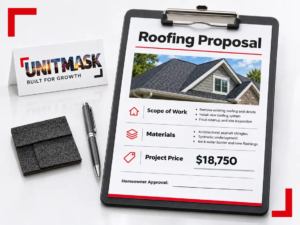
Roofing proposal on a clipboard showing the scope of work, materials, project price, and homeowner approval line.

Professional Roofing Proposals

Roofing proposal software turns project costs into clear customer documents covering scope, materials, pricing, exclusions, timelines, and terms. Consistent proposals help homeowners evaluate your offer and reduce misunderstandings.

Compare options in our guide to the  roofing proposal software and professional roofing proposals.

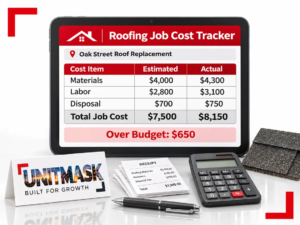
Roofing job cost tracking dashboard comparing estimated and actual material, labor, and disposal expenses.

 Roofing Job Cost Tracking

A roofing estimate predicts costs, while job cost tracking records actual spending. Extra labor and materials can turn a $7,000 budget into $7,800, reducing profit. A job cost tracker helps organize expenses and identify budget overruns.

Roofing customer and lead management dashboard showing inquiries, inspections, and proposals on a laptop.

 Customer and Lead Management

A roofing CRM organizes customer details, inquiries, inspections, estimates, follow-ups, and job status. A spreadsheet or simple CRM may suit low inquiry volumes, while dedicated software becomes more useful as leads grow.

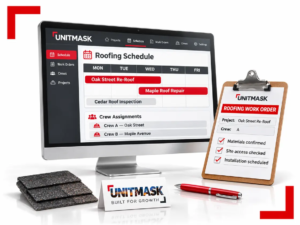
Roofing scheduling dashboard with crew assignments beside a work order checklist for a roof replacement project.

Roofing Scheduling and Work Orders

Roofing scheduling tools coordinate crews, installation dates, deliveries, and milestones. Work orders outline the address, assigned team, scope, materials, safety notes, and instructions. Small contractors can start with a shared calendar and standardized work orders.

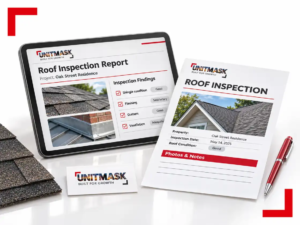
Roof inspection report on a tablet and printed document showing roof photos, condition findings, and an inspection checklist.

Roof Inspection Reports

Roof inspection reports record property details, observations, photos, damage, and recommended work. Consistent reports help explain findings to homeowners and maintain project records, while supporting professional judgment and physical inspections.

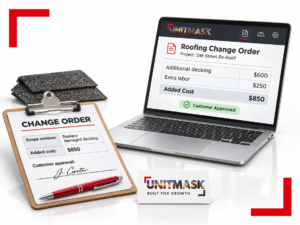
Roofing change order management screen showing added decking and labor costs beside a signed customer approval form.

Change Order Management

A roofing change order records scope changes, such as unexpected decking repairs, including added work, price adjustments, schedule impacts, and customer approval.

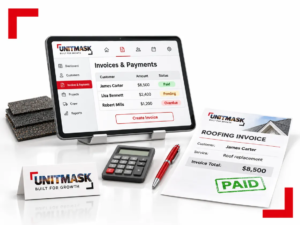
Roofing invoicing and payment tracking dashboard showing paid, pending, and overdue invoices beside a printed roofing invoice.

 Invoicing and Payment Tracking

Roofing invoicing and payment software helps issue invoices, record payments, and track unpaid balances. Contractors should also account for sales tax, processing fees, record retention, and state-specific requirements.

Essential vs Advanced Roofing Management Features

Compare the tools small roofing contractors need to run day-to-day jobs with the advanced features that help growing companies coordinate crews, track costs, and manage more projects.

Software feature Small contractor Growing roofing company
Roofing estimates Essential Essential
Proposal preparation Essential Essential
Job cost tracking Essential Essential
Customer records Basic system Dedicated CRM
Scheduling Shared calendar may work Team scheduling
Inspection reports As needed Standardized workflow
Change orders Essential when applicable Centralized approval process
Work orders Simple documents Integrated job assignments
Accounting Essential Essential with integrations
Automated lead follow-ups Optional Often valuable
Multi-user permissions Usually optional Important
Advanced reporting Optional Increasingly useful
Multi-location management Usually unnecessary Relevant for larger operations

Best Roofing Business Management Software Options in 2026

Compare platforms by workflow, features, and business needs.

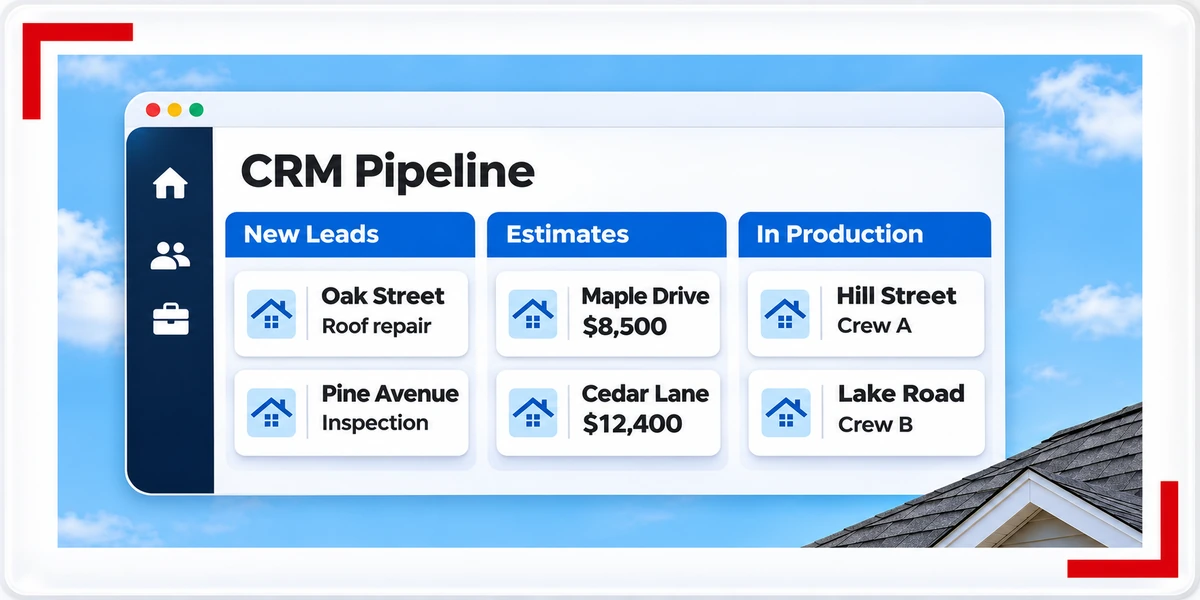
Illustrative roofing CRM pipeline showing new leads, estimates, and jobs in production.

1. JobNimbus

Roofing CRM & Project Management

Connect customer records, estimates, and production workflows.

  • Lead and customer management
  • Estimates and proposals
  • Job tracking and automation

Best for: Growing roofing teams.

Considerations: Check plan features, users, and integrations.

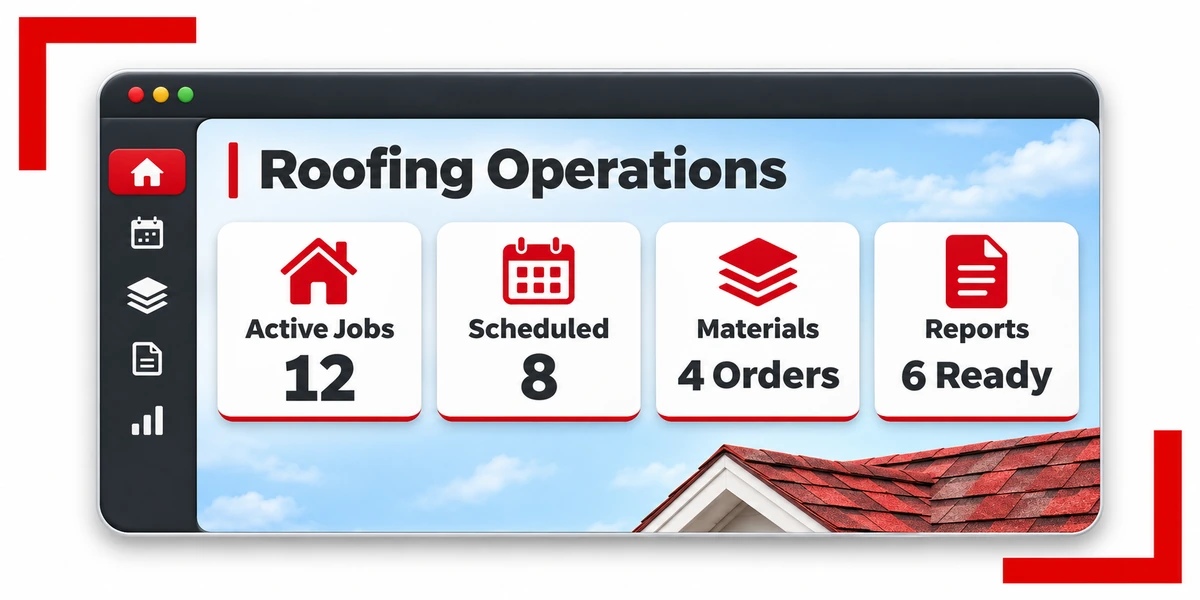
Illustrative roofing operations dashboard showing active jobs, scheduling, material orders, and reports.

1. AccuLynx

Comprehensive Roofing Operations

Bring sales, scheduling, materials, and job information together.

  • Roofing CRM and estimating
  • Production scheduling
  • Job costs and documentation

Best for: Established roofing companies.

Considerations: Evaluate pricing, implementation, and training.

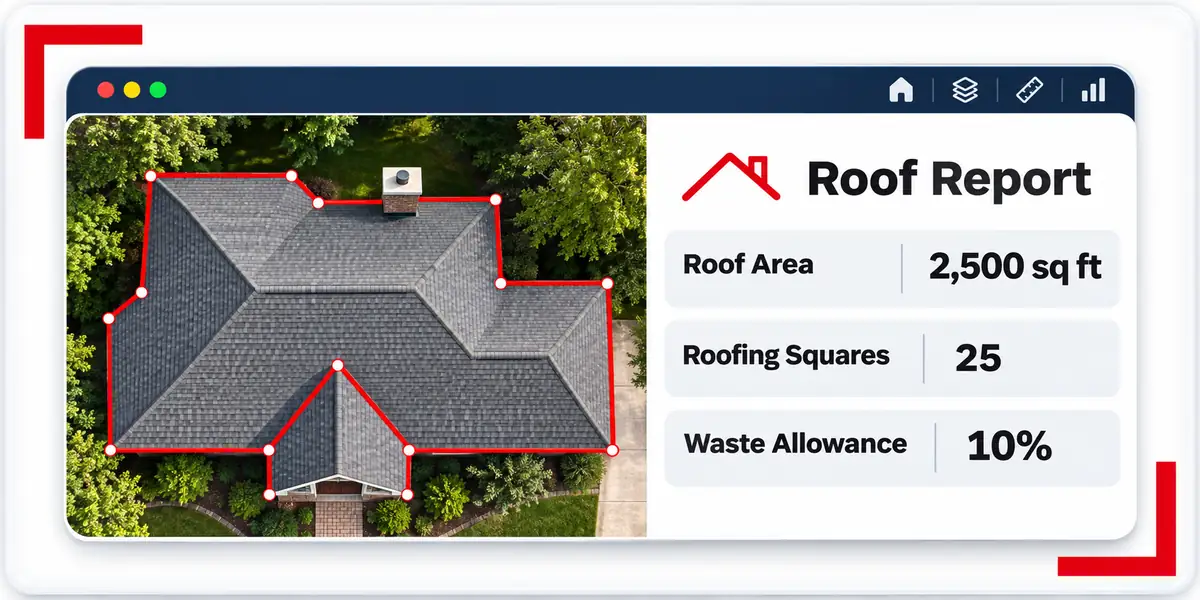
Illustrative roof measurement report showing an aerial roof outline, roof area, roofing squares, and waste allowance.

1. Roofr

Measurements & Connected Workflows

Connect roof measurements with estimates and proposals..

  • Roof measurement reports
  • Material calculations
  • Proposals and job records

Best for: Measurement-led workflows.

Considerations: Compare plans and measurement report fees.

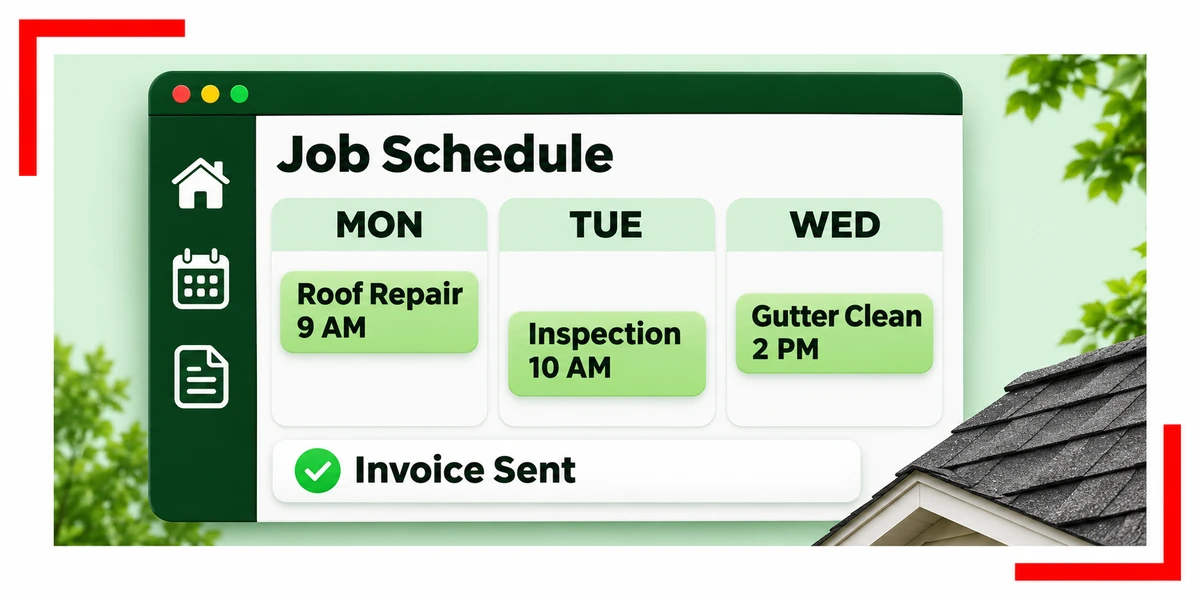
Illustrative field service calendar showing roof repairs, inspections, gutter cleaning, and invoice status.

1. Jobber

Field Service Business Management

Organize quoting, schedules, invoices, and customer communication.

  • Customer records and quotes
  • Scheduling and job tracking
  • Invoicing and payments

Best for: Service-oriented contractors.

Considerations: Confirm the roofing-specific features you need.

Choose the platform that fits your workflow, team, and budget.

Roofing Management Software Comparison

Platform Primary strength Suitable business type Pricing model
JobNimbus CRM and production workflows Growing roofing companies Custom quote
AccuLynx Roofing operations management Established roofing contractors Custom quote
Roofr Measurements and connected proposals Small to growing roofing teams Free starter and paid plans
Jobber Scheduling and service management Small service contractors Subscription

Do Small Roofing Companies Really Need an All-in-One CRM?

Not always. The right tool depends on your team, workload and operational complexity.

Example A

Independent Residential Roofer

Around 4 roof replacements per month

The owner manages inquiries, estimates, suppliers, and scheduling.

Tools that may be enough

  • Estimating tool
  • Proposal builder
  • Job cost tracker
  • Shared calendar
  • Accounting software
  • Standard project documents

A focused set of tools may be sufficient.

Example B

Growing Roofing Company

20+ projects per month, with multiple crews

Sales and installation teams need shared information across active projects.

Workflows to connect

  • Customer communication
  • Estimates and approvals
  • Production schedules
  • Supplier orders
  • Crew coordination
  • Invoices and payments

A connected CRM may become more valuable.

Choose software for your current workflow and complexity.

How to Manage a Roofing Job From Estimate to Completion

Roofing job management software helps organize each stage, from the first inquiry and estimate to installation, invoicing, and financial review.

  1. Customer Inquiry & Inspection

    Record contact details, property address, requested work, and inspection time. Document roof conditions and collect measurements.

  2. Cost Estimating

    Calculate materials, labor, disposal, overhead, and selling price. Review the numbers before sending a quote.

  3. Proposal Preparation

    Present the scope, specifications, pricing, and terms in a clear customer document for review.

  4. Approval & Scheduling

    Confirm authorization, schedule, materials, and crew requirements. Prepare a work order with clear instructions.

  5. Installation & Expense Tracking

    Record purchases, labor, and other job costs. Compare actual spending with the original budget.

  6. Changes & Documentation

    Get approval for change orders before extra work. Keep inspection notes, photos, and project records.

  7. Completion & Financial Review

    Confirm completion, issue the final invoice, record payment, and review the project’s financial performance.

Accurate records. Consistent communication. A repeatable process.

Use one connected platform or several focused tools to manage the workflow.

How to Calculate Roofing Job Profitability

Understand your project costs, gross profit, and margin.

Hypothetical residential roofing project

Project cost breakdown

Financial item Amount
Customer contract price $12,000
Roofing materials $4,000
Installation labor $2,800
Disposal and equipment $700
Additional direct expenses $300
Total direct job cost $7,800

Profit snapshot

$4,200

Gross profit before overhead

35%

Gross margin before overhead

Based on $12,000 in revenue.

Gross Profit

Revenue − Direct job costs

$12,000 − $7,800 = $4,200

Gross Margin

(Gross profit ÷ Revenue) × 100

($4,200 ÷ $12,000) × 100 = 35%

What Happens When Actual Costs Increase?

An extra $900 in labor and materials raises direct job costs to $8,700, reducing gross profit to $3,300 and gross margin to 27.5%. A roofing job cost tracker highlights these overruns, helping contractors refine future estimates and spot recurring cost issues.

All-in-One Roofing Software vs Individual Business Tools

Roofing project management software becomes more useful when several crews need shared schedules, documents, approvals, and job updates.

CONNECTED PLATFORMS

All-in-One Roofing Software

Connect customer records, estimating, scheduling, and production in one system.

Advantages
  • Centralized information
  • Less duplicate data entry
  • Office and field collaboration
  • Connected sales and production
  • Reporting across multiple jobs
Considerations
  • Recurring subscription costs
  • Setup and team training
  • Features may go unused
  • Reliance on one provider
  • Data migration requirements

FOCUSED WORKFLOWS

Individual Business Tools

Use dedicated tools for estimates, proposals, job costs, inspections, and changes.

Advantages
  • Choose tools for current needs
  • Potentially lower upfront costs
  • Simpler individual workflows
  • Less extensive onboarding
  • Flexibility to mix solutions
Considerations
  • Repeated data entry
  • Limited automatic data sharing
  • Fewer collaboration features
  • Consistent file organization needed
  • Separate accounting or CRM tools

Match the Software to Your Workflow

Connected platforms suit complex coordination. Individual tools can work well for simpler processes and fewer users.

Neither approach is universally better.

A Practical Alternative: Eight Roofing Business Tools From Unitmask

Unitmask develops the downloadable tools listed below.

Focused tools for specific tasks. A full roofing CRM may still be needed for broader workflows.

Roofing EstimateMaker

Prepare roofing estimates using your measurements and cost information.

$49 one-time purchase

Roofing Profit Calculator

Review project costs, selling prices, and profitability calculations.

$29 one-time purchase

Roofing Job Cost Tracker

Record project expenses and compare actual spending with your budget.

$39 one-time purchase

Roofing Material Calculator

Calculate material quantities before ordering supplies or preparing estimates.

$29 one-time purchase

Roofing Proposal Builder

Present scope, pricing, and project details in organized customer proposals.

$49 one-time purchase

Roofing Inspection Report Builder

Document inspection findings and organize clear customer reports.

$39 one-time purchase

Roofing Change Order Generator

Record additional work, pricing changes, and scope modifications.

$29 one-time purchase

Roofing Work Order Generator

Prepare clear project instructions for crews and subcontractors.

$29 one-time purchase

Choose the tools that fit your daily workflow.

Explore Roofing Tools →

Unitmask Roofing Tools Overview

Compare focused roofing tools and their one-time prices.

Roofing tool Main purpose One-time price
Roofing EstimateMaker Prepare roofing estimates $49
Roofing Profit Calculator Review project profitability $29
Roofing Job Cost Tracker Track project expenses $39
Roofing Material Calculator Calculate material quantities $29
Roofing Proposal Builder Prepare customer proposals $49
Roofing Inspection Report Builder Document roof inspections $39
Roofing Change Order Generator Document project changes $29
Roofing Work Order Generator Prepare work instructions $29
Total if purchased individually $292

Available individually as one-time purchases. Bundle options are available on the roofing tools page.

Where These Tools Fit

Focused tools for specific roofing tasks. The collection does not replace an integrated CRM, accounting software, automated lead management, cloud collaboration, or full production management.

Explore Unitmask Roofing Business Tools

Choose individual tools for your workflow or explore the available bundle.

Explore Roofing Tools →

How Much Does Roofing Business Management Software Cost?

Costs depend on the purchasing model, included features, and extra charges.

Monthly or annual plans   |    Per-user and service fees   |    One-time tools

Software model Example price 12-month cost
Basic subscription $49/month $588
Mid-level subscription $149/month $1,788
Advanced subscription $249/month $2,988
Unitmask: 8 individual tools $292 one-time $292

Subscription figures are hypothetical and are not specific provider prices.

The $292 total covers eight tools purchased individually; bundle pricing is separate.

Compare Features as Well as Cost

These options offer different capabilities. Subscription platforms may include CRM, cloud access, scheduling, and integrations that individual tools do not provide.

Compare the total cost of the features your business actually needs.

How to Choose Roofing Management Software for Your Business

Evaluate your current operations before investing in software.

  1. Identify Your Biggest Problem

    Start with the issue causing the most daily friction: estimates, follow-ups, job costs, scheduling, or documentation.

  2. Review Your Job Volume

    Consider monthly estimates, active jobs, employees, and subcontractors. Choose a system that fits your workload.

  3. Decide Whether You Need a CRM

    If leads and conversations get lost, CRM tools may help. If customer records are organized, prioritize estimating or documentation.

  4. Compare Total Costs

    Review subscriptions, users, onboarding, measurement reports, integrations, and support. Check upgrade costs for one-time tools.

  5. Check Export & Backup Options

    Confirm how customer information, estimates, job documents, and financial records can be exported or backed up.

  6. Test a Real Project

    Use a trial or demo to prepare an estimate, record a change, track expenses, and find completed records.

Choose software that fits the way your business actually works.

Common Roofing Software Mistakes to Avoid

Keep your software practical, consistent, and secure.

  • Buying More Software Than You Need

    Unused features add cost and complexity. Choose the functions your business will actually use.

  • Ignoring Job Cost Tracking

    Accurate-looking estimates can still hide losses. Track actual expenses against each job budget.

  • Using Too Many Disconnected Tools

    Scattered systems create duplicate work. Set clear procedures for documents and records.

  • Failing to Train Employees

    Give your team clear instructions for entering information and keeping records consistent.

  • Choosing Software Based Only on Price

    Assess how well the tool solves your problem and whether its features justify the total cost.

  • Ignoring Security and Backups

    Protect customer and financial records. Maintain backups and know where your data is stored.

Start with the right tools. Build consistent habits around them.

Frequently Asked Questions

Quick answers about roofing software, costs, and everyday workflows.

It helps contractors organize estimates, customer records, schedules, job costs, documents, invoices, and reporting. Features vary by product.

The best choice depends on your workflow, team size, and budget. JobNimbus, AccuLynx, Roofr, and Jobber serve different needs, while dedicated tools may suit contractors needing only specific functions.

Roofing CRM focuses on customer relationships, sales, and communication. Management software may also cover estimating, scheduling, production, job costs, and invoicing. Some platforms combine both.

Yes. Small teams may manage customers with spreadsheets, shared calendars, and organized documents. A CRM becomes more useful as leads and team coordination increase.

Yes. Unitmask offers downloadable tools through one-time purchases for estimating, job costing, proposals, and documentation. These are individual tools rather than a complete CRM.

Record materials, labor, disposal, equipment, and other project expenses. Compare actual spending with the original estimate to identify overruns and assess profitability.

Scheduling software helps coordinate multiple jobs, crews, and deliveries. A shared calendar may be sufficient for contractors with fewer active projects.

Estimating predicts project costs before work begins. Job cost tracking records actual expenses during and after the job. Together, they help compare budgets with results.

Software can reveal cost overruns, reduce repetitive work, and support consistent processes. Results depend on accurate information, pricing, efficiency, and regular use; higher profit is not guaranteed.

Individual tools can suit simpler workflows and fewer users. An all-in-one platform may be more useful when customer management, scheduling, production, and team collaboration need to connect.

Final Thoughts

Start With the Roofing Tools Your Business Actually Needs

Roofing business management software can help organize work, improve documentation, and clarify project costs.

For independent contractors

Prioritize reliable estimates, clear proposals, job cost tracking, and organized documents.

As your business grows

Add customer management, scheduling, automation, and connected workflows when needed.

Invest in software that solves a real problem and fits your workflow.